Keep Your Computer Awake
& Stay Online on Teams
Prevent your computer from going into sleep mode and maintain your online status on Microsoft Teams. Perfect for remote workers, students, and professionals.
StopVeille provides powerful features to keep your computer awake and maintain your online presence on Microsoft Teams.
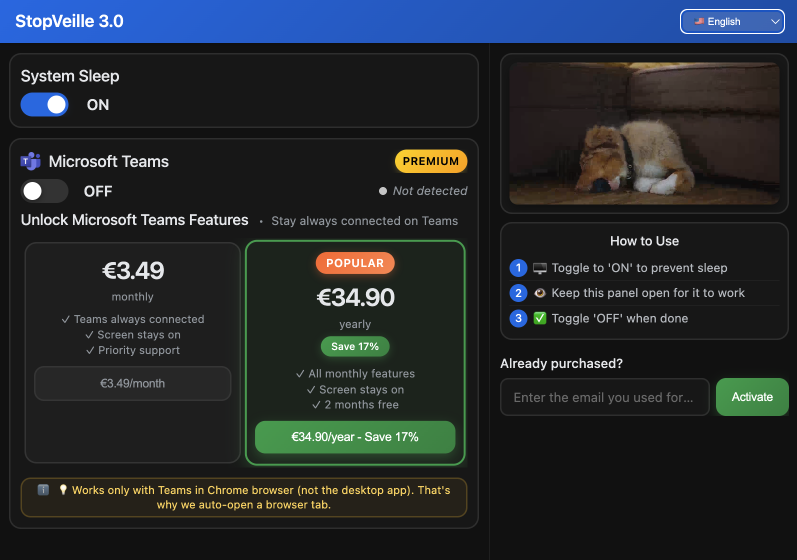
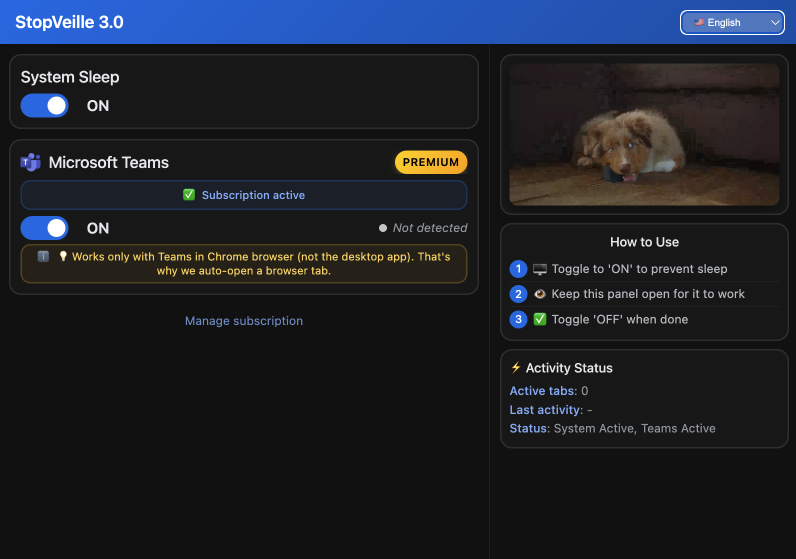
Keep your computer awake with a simple toggle. Perfect for long downloads, presentations, or when you need to step away from your desk.
Never appear away or inactive on Microsoft Teams. Stay connected and available even when you're not actively using your computer.
Smart feature that automatically enables system sleep when Teams is active, saving battery and preventing unnecessary power consumption.
Simple and intuitive interface. Turn features on or off with a single click. No complicated settings or configurations needed.
Minimal resource usage. StopVeille runs efficiently in the background without slowing down your computer or consuming excessive memory.
Optimized specifically for Chrome browser. Teams features work seamlessly in the browser, automatically opening a tab when needed.
Download StopVeille from the Chrome Web Store. Installation takes just a few seconds. Completely free to get started.
Simply toggle the system sleep or Teams features on. The extension will automatically detect Teams in your Chrome browser.
That's it! Your computer will stay awake and you'll remain online on Teams. Toggle off when you're done for the day.
Start free and upgrade to Premium when you need Teams features. Cancel anytime, no questions asked.
Perfect for basic sleep prevention needs
Everything in Free, plus Teams features
For teams and organizations
StopVeille uses Chrome's Power Management API to request that your system stays awake. When you toggle the extension on, it sends a signal to your operating system to prevent it from entering sleep mode. This is completely safe and uses standard browser APIs.
No, the Premium Teams feature only works with Microsoft Teams in the Chrome browser, not the desktop application. This is because Chrome extensions can only interact with web pages in the browser. When you enable the Teams feature, StopVeille will automatically open Teams in a browser tab if it's not already open.
When you prevent your computer from sleeping, it will naturally use more power than if it were asleep. However, StopVeille itself is extremely lightweight and uses minimal resources. The extension includes a smart auto-enable feature that automatically enables system sleep when Teams is active, helping to conserve battery when possible.
Yes! You can install StopVeille on as many devices as you like. The free features are available on all devices. For Premium features, one subscription covers all devices where you're signed in with the same email address used for purchase.
You can cancel your subscription at any time through the extension's 'Manage Subscription' button. Your Premium features will remain active until the end of your current billing period. No refunds are provided for partial periods, but you'll continue to have access until your subscription expires.
Absolutely. StopVeille does not collect, store, or transmit any personal data or browsing information. The extension only requests the minimum permissions needed to function (power management and Teams page interaction for Premium users). All payment processing is handled securely through Stripe, and we never see your payment details.
Join 1,000+ users who trust StopVeille to keep their computers awake and stay online on Teams.